 Carbon
Self-Hosting
Self-host Carbon on your own infrastructure
Single-click self-hosting is coming soon!
For now, please include the required environment variables found in env.ts, and setup the following infrastructure:
- Supabase
- Upstash
- Trigger.dev
- Resend (Email service)
- Novu (In-app notifications)
If you need help self-hosting Carbon in a GovCloud environment, please contact us.
Email Service (Resend)
Resend is used for transactional emails including user invitations, email verification, and onboarding.
- Create a Resend account
- Configure the following environment variables:
RESEND_API_KEY- Your API key (format:re_**********)RESEND_DOMAIN- Your domain for sending emails (no trailing slashes or protocols)RESEND_AUDIENCE_ID- Optional, required for contact management in background jobs
These variables are used in the authentication configuration (packages/auth/src/config/env.ts).
In-App Notifications (Novu)
Novu is used for in-app notifications and notification workflows throughout the application.
-
Configure the following environment variables:
NOVU_APPLICATION_ID- Client-side public identifier (format:********************)NOVU_SECRET_KEY- Server-side secret key, backend only (format:********************)
-
After setup, sync your Novu workflows with the Carbon application:
npm run novu:syncThis command syncs your Novu workflows using the bridge URL.
Vercel Configuration
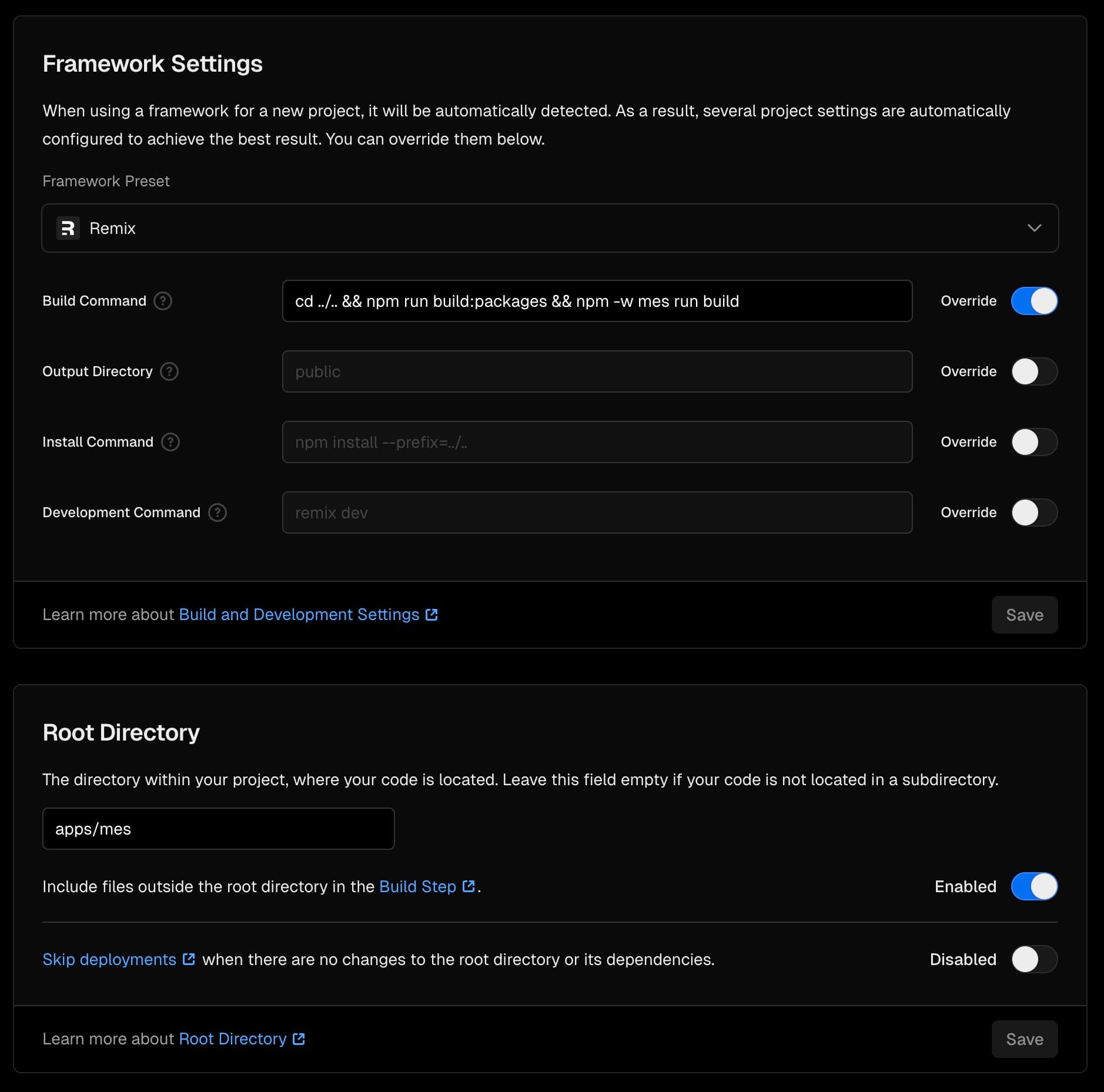
Carbon is designed to be hosted on Vercel. In order to host the ERP and MES apps, you will need to create a new Vercel project for each app with the following configurations and required environment variables:
/apps/erp/
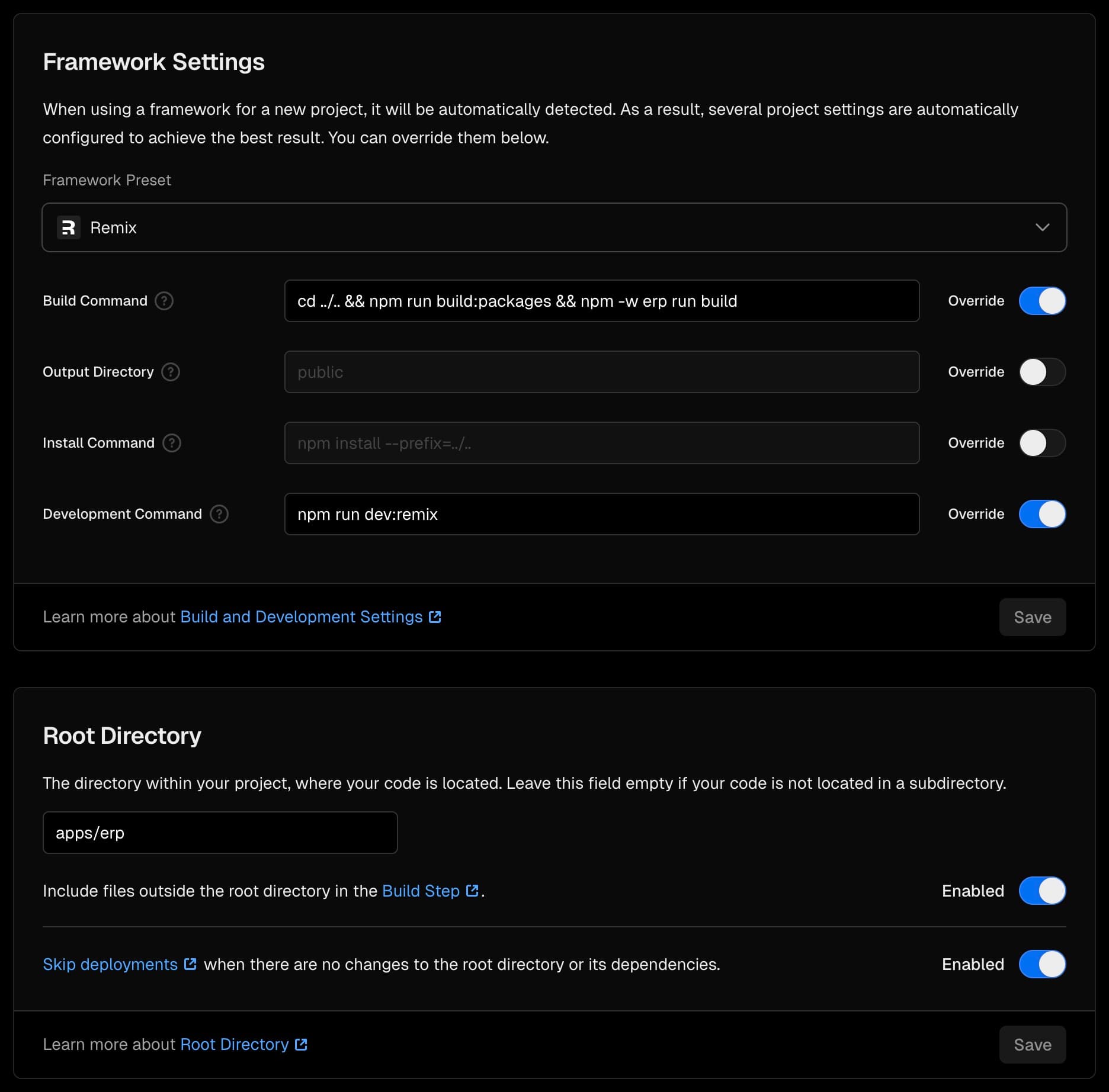
/apps/mes/